46% of all Google searches have local intent — yet most small business owners running WordPress sites leave that traffic on the table because of a handful of fixable mistakes. If you’re a plumber, dentist, lawyer, or retailer using WordPress, your CMS is already one of the most powerful local SEO platforms available. The question is whether you’re using it correctly. This guide walks you through exactly how to turn your WordPress site into a local search ranking machine — no technical degree required.
Key Takeaways 🎯
- WordPress is purpose-built for local SEO — its flexible architecture, plugin ecosystem, and clean HTML5 output give small businesses a real competitive edge.
- One primary SEO plugin is enough — choose Yoast, Rank Math, or AIOSEO, then add lightweight helpers. Plugin bloat kills speed and rankings.
- Unique, localized content wins in 2026 — Google’s recent core updates actively penalize copy-pasted city pages. Every location page needs original, neighborhood-specific content.
- Core Web Vitals are now a local SEO essential, not optional. Slow WordPress sites lose local visibility, especially on mobile.
- Schema markup and Google Business Profile integration are table stakes for appearing in local packs and AI-generated search panels.
Why WordPress Dominates Local SEO in 2026
WordPress powers over 43% of all websites globally, but its dominance in local SEO isn’t just about market share. It’s about architecture. WordPress generates semantic HTML5 markup out of the box, gives you complete control over metadata, and supports hundreds of SEO-specific plugins that no custom-built or legacy CMS can match.
For local businesses specifically, this matters because:
- ✅ Frequent content updates are easy — add service pages, blog posts, and location pages without a developer
- ✅ Responsive themes are standard, satisfying Google’s mobile-first indexing requirements
- ✅ Schema markup can be added without touching code, through plugins
- ✅ Page speed tools integrate directly into the WordPress ecosystem
- ✅ Full metadata control means you can write unique title tags and descriptions for every single page
💡 Pull Quote: “When properly configured, WordPress consistently outperforms custom and legacy CMSs in local search — especially for small businesses that need frequent content updates and schema tweaks.”
The key phrase is properly configured. Out of the box, WordPress is a strong foundation. But without the right setup, it’s just a website. Let’s fix that.
Choosing the Right WordPress SEO Plugin for Local Businesses
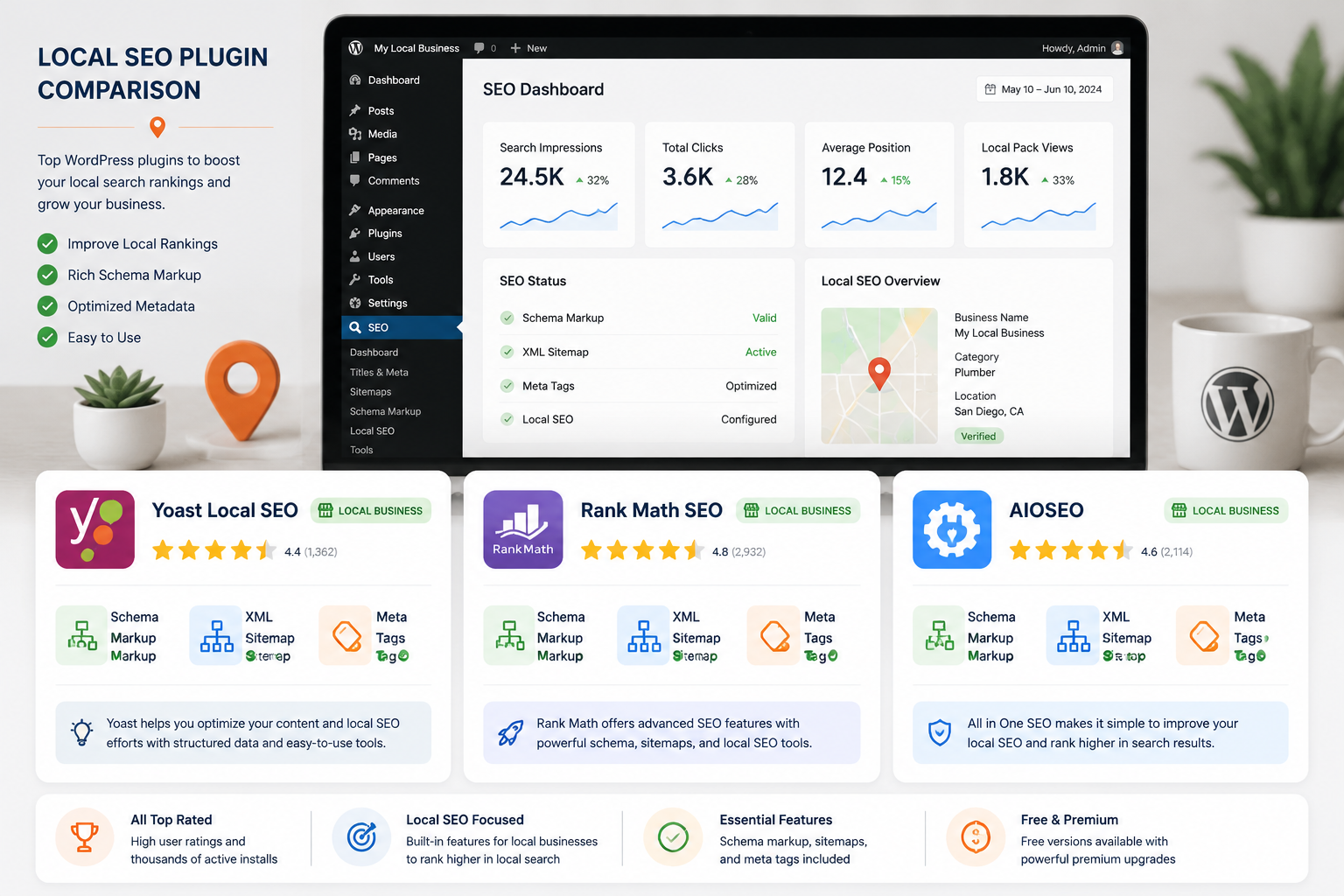
The single most important decision you’ll make for local SEO WordPress performance is choosing your primary SEO plugin. The 2026 consensus is clear: pick one core plugin and stick with it. Plugin bloat — installing five different SEO tools — creates conflicts, slows your site, and confuses search engines.
Here are the top options for local businesses:
| Plugin | Best For | Key Local SEO Features |
|---|---|---|
| Yoast SEO (+ Local SEO add-on) | Beginners, service businesses | Local schema, opening hours, multiple locations, GBP integration |
| Rank Math | Tech-comfortable users | Built-in local schema, rich snippets, free local SEO module |
| All in One SEO (AIOSEO) | Small business owners | Local business schema, map embed, review schema |
| The SEO Framework | Minimalists, speed-focused | Lightweight, clean schema output, no bloat |
Yoast Local SEO Add-On
Yoast’s dedicated Local SEO plugin (a paid add-on to free Yoast SEO) is the most beginner-friendly option. It lets you:
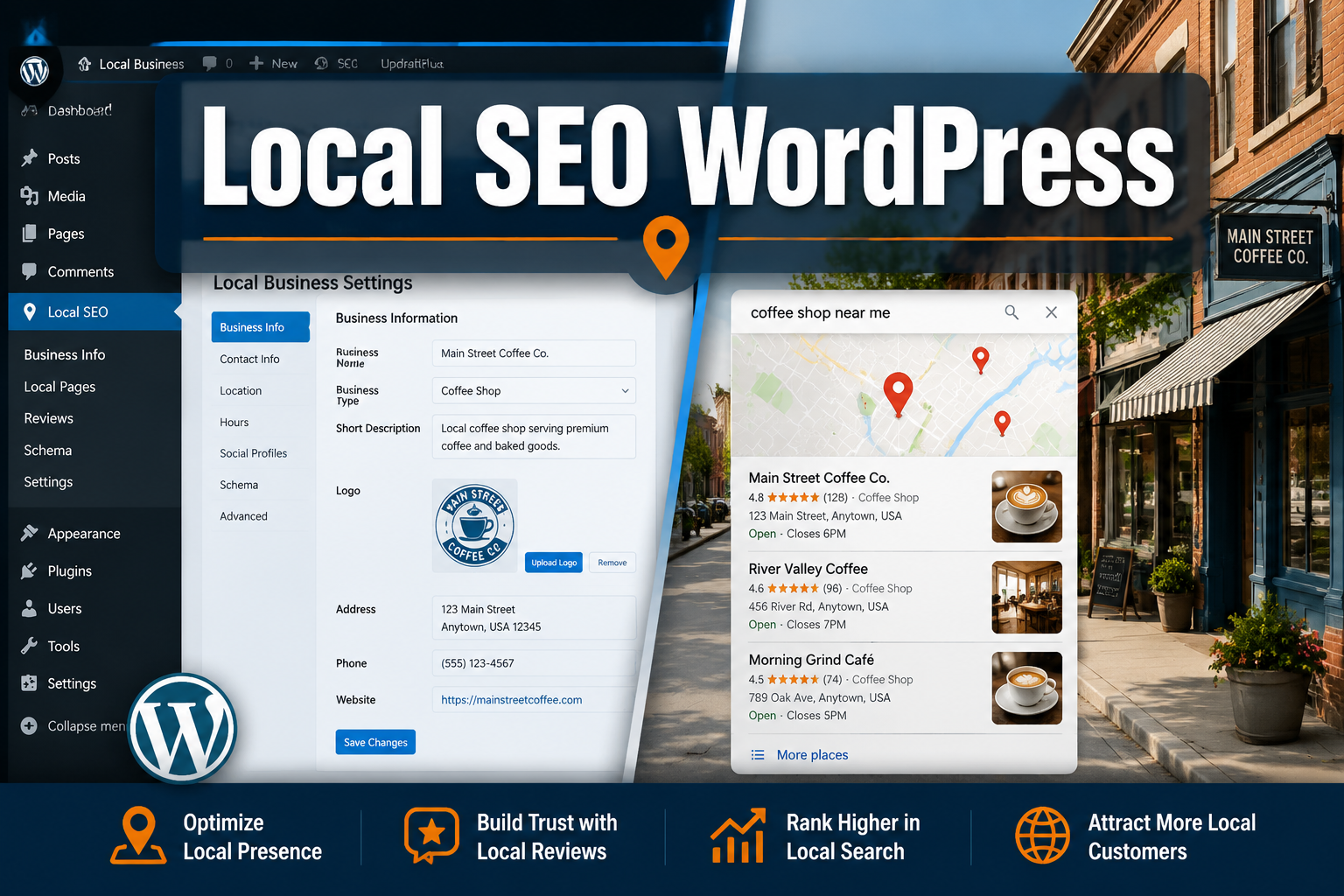
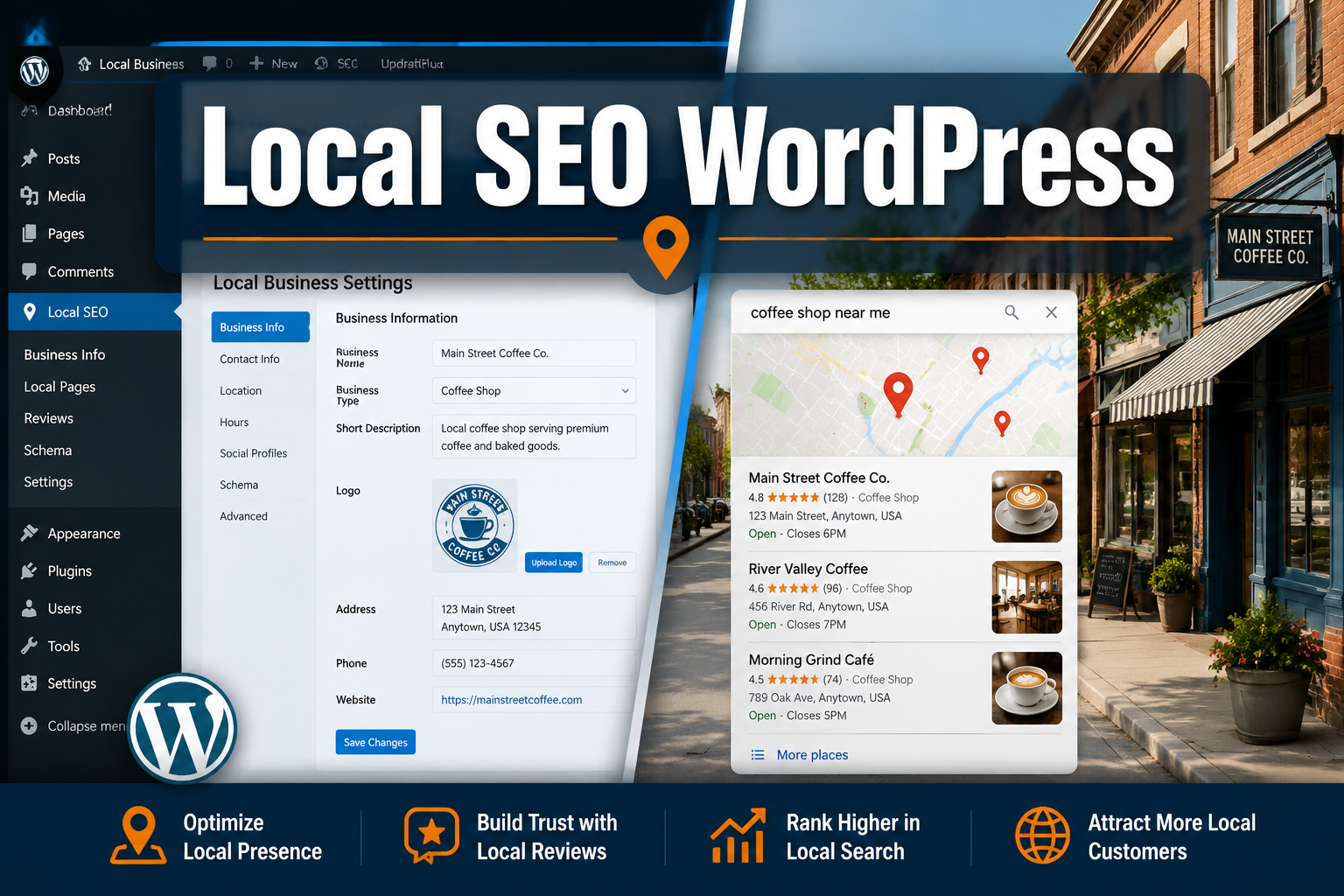
- Add your business name, address, and phone (NAP) in one place
- Display opening hours automatically
- Embed Google Maps on contact pages
- Output LocalBusiness schema automatically
Rank Math’s Free Local SEO Module
Rank Math includes local SEO features in its free version, making it an excellent value. You can configure LocalBusiness schema, set your business type, add geo-coordinates, and manage rich snippets — all from one dashboard.
AIOSEO Local SEO
All in One SEO’s local module is particularly strong for businesses with multiple locations. It supports location-specific schema, review schema, and integrates well with map plugins.
My recommendation: If you’re new to WordPress SEO, start with Rank Math (free, powerful) or Yoast + Local SEO add-on (easiest interface). Don’t install more than one.
Setting Up WordPress Local SEO Settings: The Essentials
Once your plugin is chosen, here’s the foundational setup every local WordPress site needs in 2026.
1. Configure Your NAP Information
NAP stands for Name, Address, Phone number. This must be:
- Identical across your website, Google Business Profile, and all online directories
- Placed in your site’s footer (so it appears on every page)
- Marked up with LocalBusiness schema
2. Set Your Business Schema Type
In your SEO plugin settings, select the most specific business type available. Don’t just pick “LocalBusiness” — choose “Plumber,” “DentalClinic,” “LegalService,” or whatever matches your actual business. This specificity helps Google understand and categorize your business correctly.
3. Configure Your XML Sitemap
Make sure your sitemap is:
- Enabled in your SEO plugin
- Submitted to Google Search Console
- Excluding thin or duplicate pages (tag archives, author pages, etc.)
4. Set Canonical URLs
Enable canonical URLs in your SEO plugin to prevent duplicate content issues — a common WordPress problem caused by category pages, tag pages, and paginated archives.
5. Optimize Your Permalink Structure
Go to Settings → Permalinks and choose “Post name” (/%postname%/). This creates clean, keyword-friendly URLs like /plumber-denver/ instead of /?p=123.
Google Business Profile Integration with WordPress
Your Google Business Profile (GBP) and your WordPress site work together — neither one alone is enough to dominate local search in 2026.
GBP drives your Google Maps rankings. Your WordPress site drives your organic local rankings just below the map pack. Businesses with optimized GBP but weak WordPress content consistently struggle to rank in organic results, while those with strong local pages see measurable lifts in both rankings and call volume.
How to Connect GBP with Your WordPress Site
- Add your website URL to GBP — make sure it points to your homepage or a specific location page
- Embed a Google Map on your contact page using your GBP listing’s embed code
- Use consistent NAP — your GBP address must exactly match what’s on your WordPress site
- Install a review widget — plugins like WP Google Reviews or Widgets for Google Reviews pull your GBP reviews onto your site, adding social proof and fresh content
Schema Markup for Local Businesses on WordPress 🗺️
LocalBusiness schema is no longer optional — it’s table stakes for local search visibility, including in Google’s AI Overviews and “Preferred Sources” panels.
At minimum, your WordPress site should output:
Business Name
Address (with street, city, state, zip)
Phone Number
Business Hours
Geographic Coordinates
Business Type
Website URL
Most SEO plugins handle this automatically once you fill in your business details. For more advanced schema, the Schema Pro plugin is an excellent lightweight addition that works alongside your primary SEO plugin.
💡 Pro Tip: In 2026, strong structured data doesn’t just help classic search snippets — it helps AI systems parse and surface your business in AI-generated answer panels. Add FAQ schema to your service pages for extra visibility.
Local Keyword Optimization in WordPress Pages and Posts
Keyword optimization for local WordPress sites follows a simple but powerful structure. Every page should target one primary local keyword phrase.
The Local Keyword Formula
[Service] + [Location] = Your primary keyword
Examples:
emergency plumber Austin TXfamily dentist near Napervillepersonal injury lawyer Denver
Where to Place Local Keywords in WordPress
For each service or location page, include your target keyword in:
- ✅ Page title (H1)
- ✅ SEO title tag (set in your SEO plugin)
- ✅ Meta description
- ✅ First paragraph of content
- ✅ At least one H2 subheading
- ✅ Image alt text (for at least one image)
- ✅ URL slug (e.g.,
/plumber-austin-tx/)
Don’t stuff keywords. One natural mention per section is enough. Google in 2026 is sophisticated enough to understand context and synonyms.
Creating Location-Specific Landing Pages in WordPress
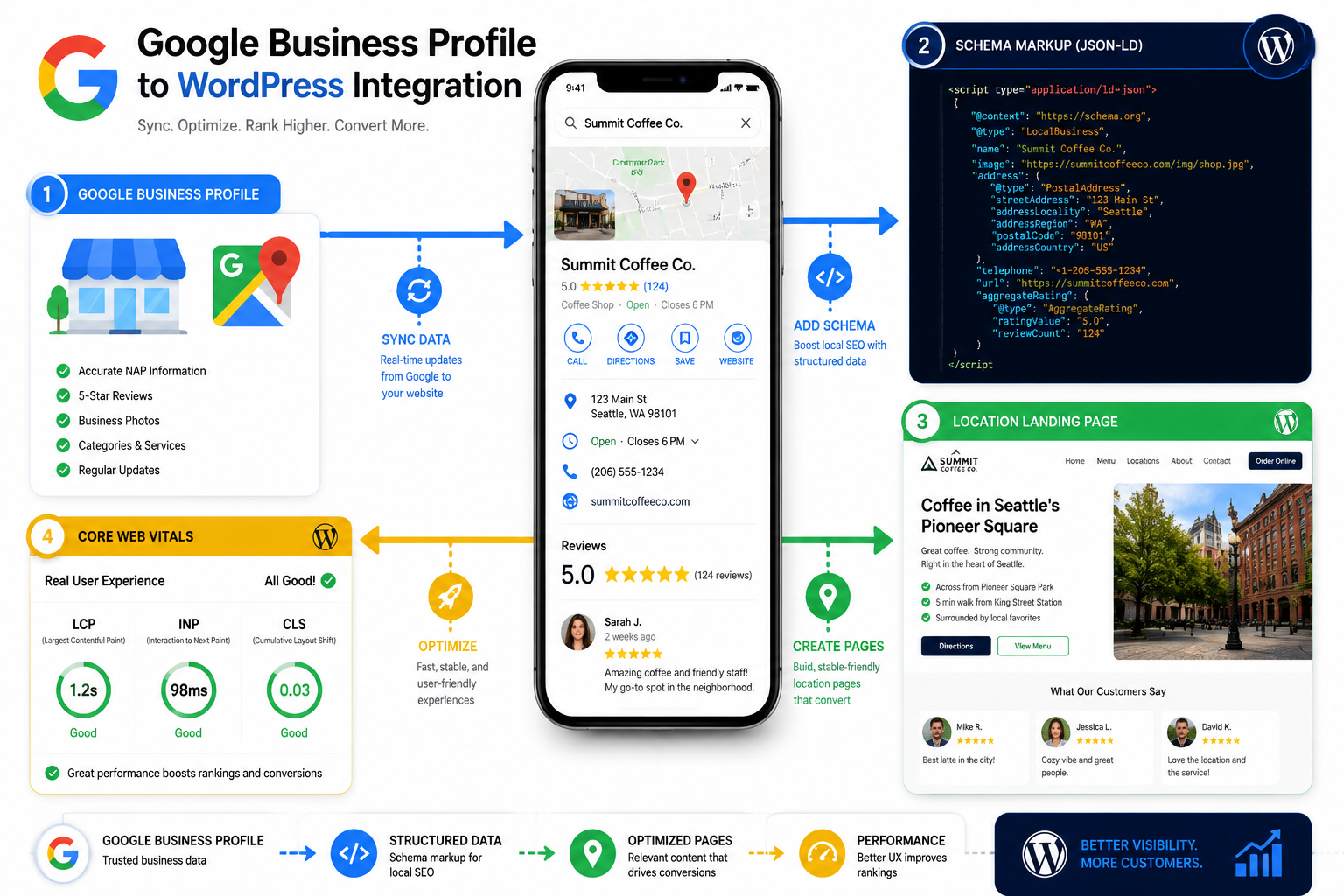
This is where most local businesses either win or lose in organic search. Location pages done right are your most powerful local SEO asset on WordPress.
What Makes a Strong Location Page in 2026
Google’s 2026 core updates have been aggressive about penalizing thin, boilerplate city pages — the kind where you just swap the city name and call it a day. Those pages are dropping. Pages that win include:
- Unique content specific to that location (not copy-pasted with just the city name changed)
- Local landmarks and neighborhood references (“We serve clients near the Denver Tech Center and Cherry Creek”)
- Location-specific testimonials from real customers in that area
- Local case studies or examples (“We recently helped a homeowner in Aurora with…”)
- Embedded Google Map showing your service area
- Local phone number (if you have one) or at a minimum a local address
The Content Cluster Structure for Local WordPress SEO
The most effective structure for local WordPress sites in 2026 is the content cluster model:
- Core location/service pages (e.g.,
/personal-injury-lawyer-denver/,/car-accident-attorney-aurora/) - Supporting blog posts that link back to those core pages:
- “How much does a personal injury lawyer cost in Denver?”
- “What to do after a car accident in Aurora, CO.”
- “Denver personal injury law: Your rights explained.”
This internal linking structure builds topical authority around each city or neighborhood, which is increasingly important for both traditional local rankings and inclusion in AI-generated search panels.
WordPress Multisite for Multiple Locations
If you run a franchise or business with 5+ locations, WordPress Multisite lets you manage separate websites for each location from a single dashboard. Each location gets its own domain or subdomain, its own Google Business Profile link, and its own unique content — while you manage everything centrally.
For 2-4 locations, a single WordPress site with separate location pages is usually sufficient and simpler to manage.
Page Speed and Core Web Vitals for WordPress Local SEO
In 2026, passing Core Web Vitals is a minimum requirement for competitive local WordPress sites — not a nice-to-have. Slow sites lose local visibility, especially among mobile users who make up the majority of local searches.
Core Web Vitals Targets
| Metric | Target | What It Measures |
|---|---|---|
| LCP (Largest Contentful Paint) | Under 2.5 seconds | How fast your main content loads |
| INP (Interaction to Next Paint) | Under 200ms | How quickly your site responds to clicks |
| CLS (Cumulative Layout Shift) | Under 0.1 | How stable your layout is while loading |
Essential Speed Plugins for Local WordPress Sites
Performance is no longer separate from SEO. These plugins directly impact your local rankings:
- 🚀 WP Rocket — Best all-in-one caching and performance plugin (paid, worth it)
- 🚀 W3 Total Cache — Solid free alternative
- 🚀 Jetpack Boost — Good free option with Critical CSS and lazy loading
- 🖼️ Smush or ShortPixel — Image compression (large images are the #1 speed killer)
- 📦 Cloudflare — Free CDN that speeds up your site globally
Quick Speed Wins for WordPress
- Use a lightweight theme (more on this below)
- Remove unused plugins — every inactive plugin still loads code
- Compress all images before uploading
- Enable lazy loading for images
- Use a CDN to serve assets faster
- Minimize JavaScript — avoid heavy page builders if possible
Mobile Optimization for WordPress Local SEO 📱
Over 60% of local searches happen on mobile devices. Google uses mobile-first indexing, meaning it crawls and ranks your mobile version first. If your WordPress site isn’t excellent on mobile, you’re losing local rankings.
Mobile Optimization Checklist
- ✅ Use a responsive WordPress theme (all modern themes should be, but verify)
- ✅ Make your phone number clickable — use
<a href="tel:+1XXXXXXXXXX">format - ✅ Ensure buttons and CTAs are thumb-friendly (minimum 44px tap target)
- ✅ Test your site using Google’s Mobile-Friendly Test tool
- ✅ Avoid intrusive interstitials (pop-ups that cover content on mobile)
- ✅ Keep font sizes readable without zooming (minimum 16px body text)
Best WordPress Themes for Local SEO
Your theme affects speed, mobile experience, and schema output — all of which are critical for local SEO. Avoid bloated themes with dozens of features you’ll never use.
Top themes for local business WordPress sites:
| Theme | Type | Why It Works for Local SEO |
|---|---|---|
| Astra | Free/Pro | Ultra-lightweight, schema-ready, fast |
| GeneratePress | Free/Pro | Minimal code, excellent Core Web Vitals scores |
| Kadence | Free/Pro | Built-in schema, strong performance |
| Hello Elementor | Free | Bare-bones starter, pairs with Elementor |
| OceanWP | Free/Pro | Good local business templates |
Avoid: Themes with built-in sliders, heavy animation libraries, or complex visual builders baked in. These almost always hurt your Core Web Vitals scores.
Local Citation Building and Review Management with WordPress
Building Local Citations
A local citation is any online mention of your business’s NAP. Citations help Google verify your business is legitimate and located where you say it is.
Key citation sources to build:
- Google Business Profile
- Yelp
- Bing Places
- Apple Maps
- Facebook Business
- Industry-specific directories (Healthgrades for doctors, Avvo for lawyers, Houzz for contractors, etc.)
WordPress tip: Use a consistent footer widget or contact page that displays your exact NAP — this becomes a reference point for anyone manually adding your business to directories.
Review Management Plugins and Strategies
Reviews are a major ranking factor for local Google Maps results. Here’s how to manage them through WordPress:
Recommended review plugins:
- WP Google Reviews — Displays Google reviews on your site
- Starfish Reviews — Helps funnel happy customers to leave reviews
- ReviewsCouk — Aggregates reviews from multiple platforms
Review strategy for local WordPress sites:
- Add a “Leave Us a Review” page on your WordPress site with direct links to your GBP review form
- Display your best reviews on service pages and your homepage
- Respond to all reviews (positive and negative) through your GBP dashboard
- Never fake reviews — Google’s 2026 spam detection is sophisticated
WordPress Security and Its Impact on Local SEO 🔒
A hacked WordPress site can destroy your local SEO overnight. Google will flag your site as dangerous, your rankings will drop, and customers will see security warnings instead of your business.
Essential Security Practices
- Keep WordPress core, themes, and plugins updated — most hacks exploit outdated software
- Use a security plugin like Wordfence or Sucuri
- Enable two-factor authentication for your admin account
- Use strong, unique passwords and a password manager
- Install an SSL certificate (HTTPS) — this is a confirmed ranking signal and builds trust
A secure site isn’t just good practice — it’s a local SEO requirement. Google will not rank sites it considers unsafe.
Common WordPress Local SEO Mistakes to Avoid
Even experienced WordPress users make these mistakes:
❌ Installing multiple SEO plugins — They conflict with each other and create duplicate schema output
❌ Using the same content on multiple location pages — Google penalizes this heavily in 2026. Every location page needs unique content
❌ Ignoring image alt text — Alt text is an easy local keyword opportunity most people skip
❌ Not submitting your sitemap to Google Search Console — Google may not find all your pages otherwise
❌ Using a slow, bloated theme — Theme choice directly impacts Core Web Vitals and local rankings
❌ Inconsistent NAP — Even small differences (St. vs Street, Suite vs Ste.) confuse Google and hurt local rankings
❌ No internal linking — Your location and service pages should link to each other to build topical authority
❌ Skipping mobile testing — Always test every new page on a real mobile device before publishing
The Minimum Viable Local SEO Stack for WordPress in 2026
For small business owners who want results without overwhelm, here’s the lean, effective setup:
Core Stack:
- ✅ One SEO plugin — Rank Math (free) or Yoast + Local SEO add-on
- ✅ One performance plugin — WP Rocket or W3 Total Cache
- ✅ Image compression — Smush or ShortPixel
- ✅ Security plugin — Wordfence (free)
- ✅ Schema enhancement (optional) — Schema Pro if your SEO plugin’s schema isn’t enough
Content Priorities:
- ✅ Verified, fully optimized Google Business Profile
- ✅ Consistent NAP in footer and contact page
- ✅ At least 5 unique, in-depth service/location pages
- ✅ Supporting blog content that internally links to those pages
- ✅ Passing Core Web Vitals scores
That’s it. You don’t need 20 plugins or a $10,000 website. You need a fast, secure WordPress site with genuine, locally relevant content and a clean technical foundation.
Conclusion: Your Local SEO WordPress Action Plan
Local SEO on WordPress isn’t complicated — but it does require intentional setup and consistent effort. Here’s your action plan to start today:
This week:
- Install and configure your primary SEO plugin (Rank Math or Yoast)
- Set up your NAP information and LocalBusiness schema
- Verify your Google Business Profile and link it to your WordPress site
- Run a Core Web Vitals test and fix the biggest speed issues
This month:
- Audit your existing location and service pages — rewrite any that use duplicate or thin content
- Build out your content cluster: create supporting blog posts that link to your core pages
- Build or update your top 10 local citations with consistent NAP
- Add a review widget to your homepage and service pages
Ongoing:
- Publish one locally relevant blog post per month
- Monitor Google Search Console for crawl errors and performance issues
- Respond to all new Google reviews within 48 hours
- Update your GBP with new photos, posts, and offers monthly
The businesses winning local search in 2026 aren’t necessarily the biggest or the oldest — they’re the ones with the most helpful, locally relevant content on a fast, well-structured WordPress site. That’s completely achievable for any small business owner willing to put in the work.
Meta Title: Local SEO WordPress: Complete Guide for Small Business (2026)
Meta Description: Master local SEO for WordPress in 2026. Step-by-step guide covering plugins, schema markup, location pages, Google Business Profile, and page speed for small businesses.
Tags: local SEO WordPress, WordPress local SEO, local SEO plugins, Rank Math, Yoast SEO, Google Business Profile, schema markup, location pages, Core Web Vitals, small business SEO, WordPress SEO settings, local search rankings