Last updated: May 2, 2026
Quick Answer: Local business SEO on WordPress means configuring your WordPress website so it ranks in Google searches when nearby customers look for your services. It involves the right plugins, location-specific content, Google Business Profile alignment, and technical setup. Done correctly, it drives real calls and foot traffic, not just website visits.
Key Takeaways
- 46% of all Google searches carry local intent, making local SEO one of the highest-ROI investments for small businesses [3]
- 88% of mobile searches involve local intent, so mobile optimization is non-negotiable in 2026 [3]
- WordPress is one of the most SEO-friendly platforms available, with plugins like Rank Math, AIOSEO, and Yoast Local SEO handling the heavy lifting [5]
- NAP consistency (Name, Address, Phone) across your site and directories directly affects how Google ranks your business locally
- Location-specific landing pages, not just a generic homepage, are what move the needle for multi-city service businesses [4]
- Local keyword integration can increase visibility by an estimated 35% or more compared to generic keywords alone [2]
- A properly optimized WordPress site paired with a strong Google Business Profile is the foundation of every effective local SEO strategy
Why WordPress Is the Right Platform for Local Business SEO
WordPress gives small business owners more control over their SEO than almost any other platform. Out of the box, it supports clean URL structures, fast page loading with the right hosting, and a plugin ecosystem that covers every local SEO need from schema markup to Google Maps embeds.
According to industry data, WordPress websites implementing structured local SEO strategies see an average traffic increase of around 55% over several months [2]. That kind of result is not accidental. It comes from combining the platform’s flexibility with deliberate local optimization.
Choose WordPress if:
- You want full control over your page titles, meta descriptions, and schema markup
- You serve one or more specific cities or service areas
- You plan to grow your content over time with service pages and blog posts
- You want to integrate your Google Business Profile signals directly into your site
How Does Local Business SEO WordPress Actually Work?
Local business SEO on WordPress works by sending consistent signals to Google that your business is relevant, trustworthy, and geographically specific. These signals come from multiple sources working together.
The core components are:
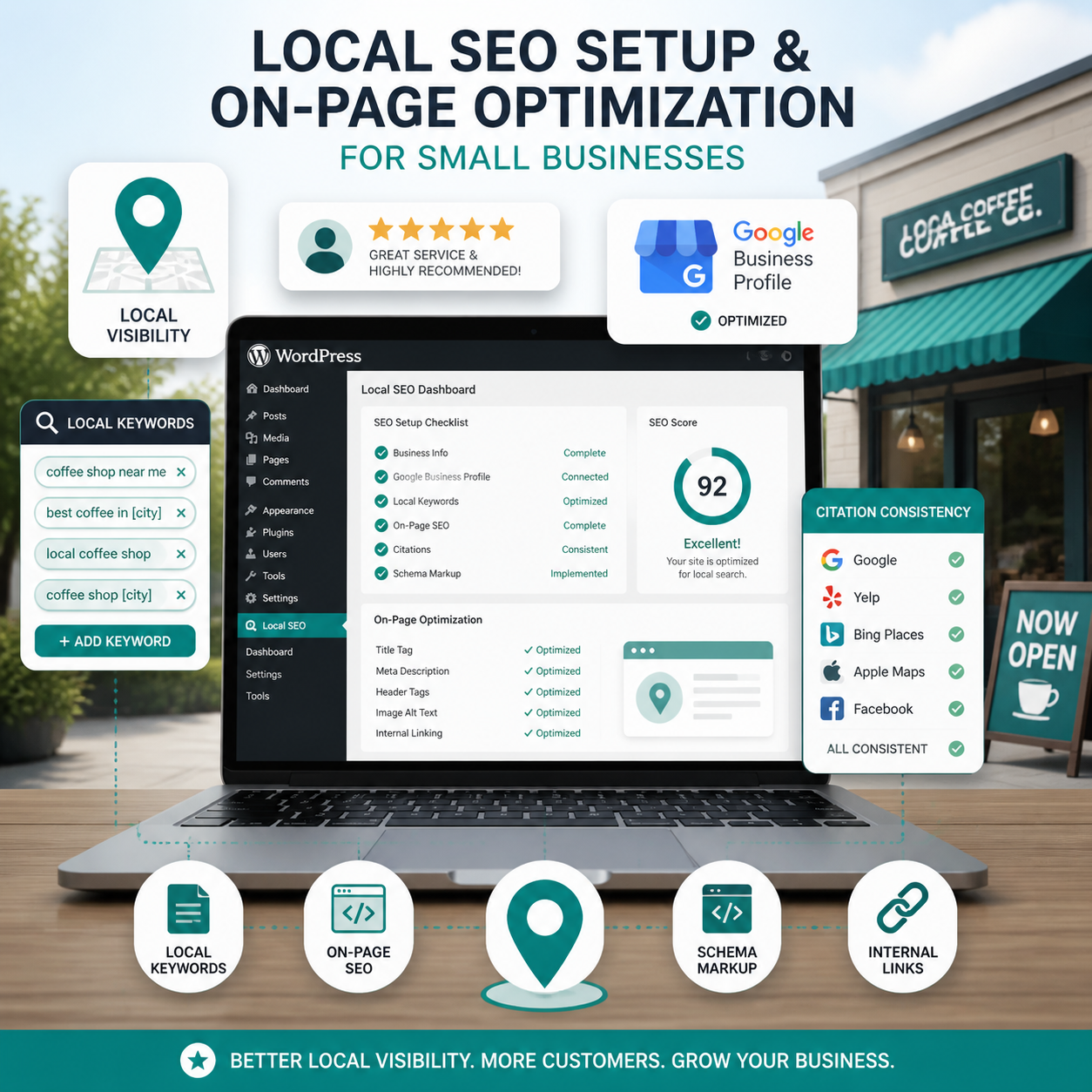
- On-page optimization — page titles, headings, and body content that include city and service keywords naturally
- Schema markup — structured data that tells Google your business name, address, phone, hours, and service area
- Google Business Profile alignment — your website and GBP must share consistent information
- Local landing pages — dedicated pages for each city or service area you cover [4]
- Citation consistency — your NAP data must match across directories, social profiles, and your website
- Reviews — Google factors review quantity and recency into local rankings
When these elements work together, Google can confidently show your business to searchers in your area. When they conflict or are missing, rankings suffer.
Which WordPress Plugins Handle Local Business SEO Best?
The best local SEO plugins for WordPress in 2026 are Rank Math, AIOSEO (All in One SEO), and Yoast Local SEO. Each handles schema markup, local business information, and Google Maps integration, but they differ in price and depth [5].
| Plugin | Best For | Local SEO Features | Cost |
|---|---|---|---|
| Rank Math | Most small businesses | Local schema, map embed, rich snippets | Free / Pro |
| AIOSEO | Businesses wanting an all-in-one tool | Local SEO module, map, hours, NAP | Free / Pro |
| Yoast Local SEO | Yoast users already on Premium | Maps, business info, opening hours | Included in Premium [8] |
Common mistake: Installing multiple SEO plugins at once. They conflict with each other and create duplicate schema output. Pick one and configure it fully before adding anything else.
For businesses using contact forms alongside their SEO setup, pairing your SEO plugin with a reliable form tool matters too. See our top 10 contact form plugins guide for options that integrate cleanly with WordPress.
What Content Does a Local Business WordPress Site Actually Need?
A local business WordPress site needs more than a homepage and a contact page. Thin content is one of the most common reasons small business websites fail to rank locally [4].
Pages every local business site should have:
- Homepage — clear service summary, city name, phone number above the fold
- Individual service pages — one page per core service (not all services crammed onto one page)
- City/service-area landing pages — one page per city you actively serve
- About page — builds trust and supports E-E-A-T signals
- Contact page — with embedded Google Map, full NAP, and a contact form
- Blog or resources section — supports long-tail keyword rankings over time
For a deeper look at how to structure service-area pages, the local SEO landing pages guide from WPZinc covers the technical and content side well [4].
If you want a proven framework for structuring all of this, our proven local SEO strategies for small businesses walks through the full approach.
How Do You Set Up Local Business SEO WordPress Step by Step?
Setting up local business SEO on WordPress follows a clear sequence. Skipping steps early creates gaps that are harder to fix later.
Step-by-step setup:
- Install and configure one SEO plugin (Rank Math or AIOSEO recommended)
- Enter your local business schema — name, address, phone, business type, hours, service area
- Optimize your homepage — include your primary city and service in the H1, meta title, and first paragraph
- Create individual service pages — each targeting one service plus your primary city
- Build city landing pages — one per service area, with unique content (not copy-paste)
- Embed a Google Map on your contact page
- Ensure NAP consistency — match your website info exactly to your Google Business Profile
- Submit your sitemap to Google Search Console
- Build citations in key directories (Google, Yelp, Bing Places, Apple Maps)
- Set up a review request process for satisfied customers
Before starting, run a local SEO audit to identify what already exists and what needs fixing first.
How Important Is Google Business Profile for WordPress Local SEO?
Your Google Business Profile (GBP) is arguably more important than your website for local map pack rankings. The two work together, but GBP is often the first thing a local customer sees [3].
76% of local mobile searches result in a phone call within 24 hours [3]. Most of those calls start from a Google Maps result, not a website visit. That means your GBP needs to be fully optimized before you worry about advanced on-site tactics.
What your GBP and WordPress site must share:
- Identical business name, address, and phone number
- Matching business categories
- Consistent service descriptions
- The same website URL
For a full walkthrough of GBP setup and optimization, see our Google Business Profile optimization guide.
What Are the Biggest Local SEO Mistakes WordPress Sites Make?
Most local SEO problems on WordPress come down to a few recurring issues, not complex technical failures.
Top mistakes to avoid:
- Keyword stuffing city names — writing “plumber Corona Corona CA plumber” reads as spam to Google and to humans
- Duplicate city pages — copy-pasting the same page with only the city name changed; Google ignores or penalizes thin duplicates
- Missing schema markup — without structured data, Google has to guess your business type and location
- Inconsistent NAP — even small differences (St. vs Street, Suite vs Ste.) create trust issues for Google
- No mobile optimization — 88% of local searches happen on mobile [3]; a slow or broken mobile experience kills conversions
- Ignoring Google Search Console — most WordPress site owners never check for crawl errors or indexing issues
Edge case: If you operate a service-area business with no physical storefront, set your GBP to hide your address and define your service radius instead. Your WordPress site should reflect this same service-area framing rather than listing a home address.
Does Local Business SEO WordPress Work for Multi-City Service Businesses?
Yes, and WordPress is especially well-suited for multi-city local SEO because you can build out as many city pages as you need without platform restrictions [4].
The key is making each city page genuinely useful. Include local landmarks, specific service details relevant to that area, and unique customer-focused content. Pages that exist only to repeat the same text with a different city name swapped in rarely rank.
For example, a pool service company in Southern California would need separate pages for Corona, Riverside, Perris, and Temecula, each with content specific to that community. See how this works in practice with our pool service SEO case study for Corona and Riverside.
Conclusion: Your Next Steps for Local Business SEO on WordPress
Local business SEO on WordPress is not a one-time setup. It is an ongoing process of building content, maintaining consistency, and strengthening your authority in your local market.
Start here:
- Run a local SEO audit on your current site to find the biggest gaps
- Install and fully configure one SEO plugin with your local business schema
- Optimize your Google Business Profile so it matches your website exactly
- Create or improve your service pages and city landing pages
- Build a simple review request process for your customers
- Check Google Search Console monthly for errors and ranking data
If you serve customers in Corona, Riverside, or the broader Inland Empire and want hands-on help with all of this, contact Local Website SEO Services for a local SEO review. We work specifically with small service-area businesses and focus on the work that actually generates calls.
Frequently Asked Questions
Q: Do I need a WordPress developer to set up local SEO?
No. Most local SEO tasks on WordPress, including plugin setup, schema configuration, and page creation, can be done by a business owner with basic WordPress familiarity. Technical issues like site speed or structured data errors may need a developer.
Q: How long before local SEO changes show results on WordPress?
Most businesses see measurable improvements in local keyword rankings within three to six months of implementing core changes [2]. Competitive markets may take longer.
Q: Is Yoast SEO enough for local business SEO on WordPress?
Yoast SEO (free) handles basic on-page optimization. For local-specific features like Google Maps integration, business hours schema, and multiple locations, you need Yoast Local SEO, which is included in Yoast Premium [8].
Q: What is NAP consistency and why does it matter?
NAP stands for Name, Address, and Phone number. Google cross-references this information across your website, GBP, and online directories. Inconsistencies reduce Google’s confidence in your business data, which can hurt local rankings.
Q: Can I rank in multiple cities from one WordPress site?
Yes. Build a dedicated landing page for each city you serve with unique, relevant content. Avoid duplicating pages with only the city name changed.
Q: Does page speed affect local SEO on WordPress?
Yes. Google uses page speed as a ranking factor, and slow sites lose mobile visitors quickly. Use a caching plugin (like WP Rocket or W3 Total Cache) and a reliable hosting provider to keep load times under three seconds.
Q: Should every service have its own page on my WordPress site?
Yes. Separate service pages allow each one to target specific keywords and rank independently. A single “Services” page with a list of offerings rarely ranks well for individual service searches.
Q: What is local schema markup and do I need it?
Local schema markup is structured code that tells Google your business type, location, hours, and contact details. Yes, you need it. Most SEO plugins add it automatically once you enter your business information.
References
[1] WordPress Local SEO – https://pressable.com/blog/wordpress-local-seo/
[2] How WordPress Local SEO Works – https://www.willshall.com/how-wordpress-local-seo-works/
[3] Why WordPress Is Best For Local SEO In 2026 – https://www.sitewired.com/wordpress/why-wordpress-is-best-for-local-seo-in-2026
[4] Local SEO Landing Pages WordPress – https://www.wpzinc.com/local-seo-landing-pages-wordpress/
[5] Local SEO WordPress Plugins – https://starfish.reviews/local-seo-wordpress-plugins/
[6] Local SEO For WordPress Websites A Step By Step Guide – https://eseospace.com/blog/local-seo-for-wordpress-websites-a-step-by-step-guide/
[7] Local SEO – https://wordpress.org/plugins/tags/local-seo/
[8] Local SEO – https://yoast.com/features/local-seo/
Tags: local business SEO wordpress, wordpress local SEO, local SEO plugins, small business SEO, google business profile, local landing pages, NAP consistency, wordpress SEO setup, local keyword optimization, service area SEO, rank math local SEO, yoast local SEO